

📝 Inconsistent publishing. Content creator burnout. Ten niche sites — zero scalability.
In 2026, automation isn’t about generating text. It’s about building an Agentic Content Engine.
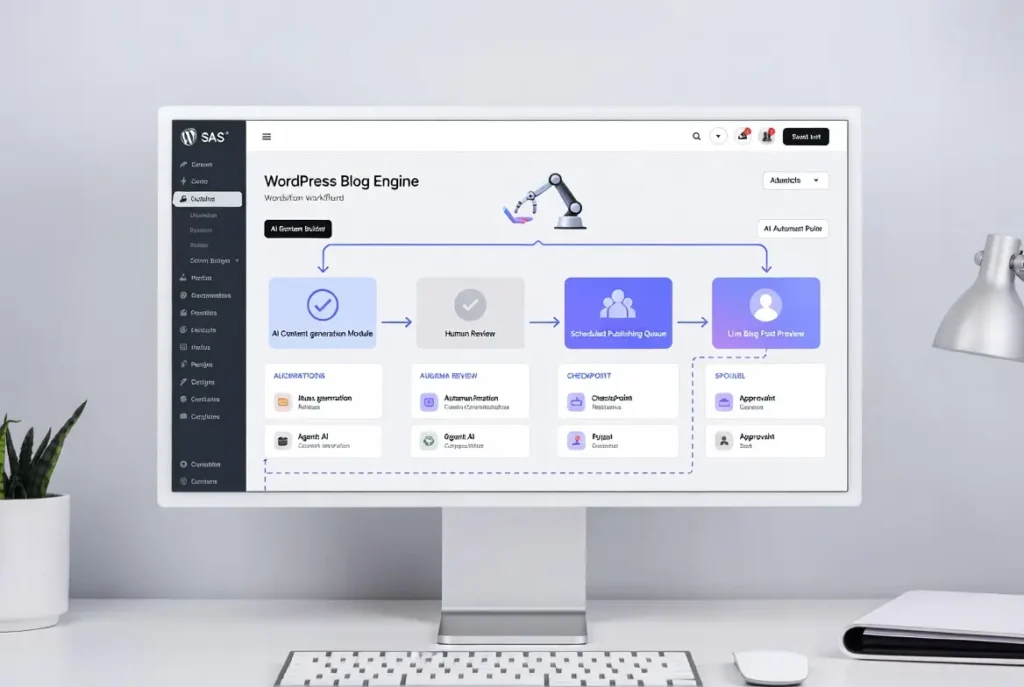
This guide shows you how to build a scalable AI blog engine WordPress Google Sheets blueprint using:
Google Sheets → Make.com → AI → WordPress → Distribution Layer
With a human approval checkpoint to survive Google’s quality updates.
Why “Simple Automation” No Longer Works
By 2026, Google’s E-E-A-T updates changed the game. Search trends now show demand for:
- Agentic content workflows for WordPress 2026
- AI article generator with human approval workflow
- Scalable programmatic SEO WordPress Make.com
- Automated content calendar Google Sheets to WordPress
Users don’t want spam. They want systems.
System Architecture: The Blog Engine Stack
Your automated blog engine consists of four layers:
- Control Layer (Google Sheets)
- Automation Layer (Make.com or n8n)
- AI Generation Layer
- WordPress Publishing + Distribution
1️⃣ Google Sheets as the “Headless CMS”
Google Sheets becomes your control panel: centralized topic management, bulk prompt editing, status tracking. Search pattern: “Google Sheets blog controller” is rising.
Keyword | Intent | Title | Outline | Status | Publish URL | Meta Description | Internal Links 2️⃣ Automation Middleware
Make.com vs n8n: Make is popular for visual workflows, webhooks, Google Sheets API integration. Flow: Google Sheets → Make Webhook → AI → WordPress REST API → headless WordPress automation.
3️⃣ AI Content Logistics (Prompt Chaining + Structure)
Use prompt chaining instead of one-shot generation:
- Generate outline
- Generate H2/H3 structure
- Generate section drafts
- Generate meta description
- Generate schema markup
- Generate social snippets
Step 1: "Create outline for topic: [keyword]"

Step 2: "Expand section 1 into 300 words with examples"

Step 3: "Write 3 FAQ questions with answers"

Step 4: "Suggest internal links to [URLs]" 4️⃣ Human-in-the-Loop Approval Workflow
Critical. Add: Draft status automation, editorial approval workflow. When status changes to “Approved” in Sheets, Make publishes via REST API. This protects E‑E‑AT compliance.
Step-by-Step: Build the Engine
Step 1: Create the Google Sheets Content Calendar
Columns: Primary Keyword, Search Intent, Title, Outline, Status, Publish URL → automated content calendar Google Sheets to WordPress controller.
Step 2: Create Make.com Scenario
Inside Make: watch Sheets rows, trigger when status = “Generate”, send topic to AI, store draft back in Sheet, change status → “Review”. This is AI prompt chaining for blogs in action.
Step 3: Add AI Generation Logic
Break prompts into stages (outline, drafting, FAQ, GEO optimization, internal links). Avoid single‑prompt “one shot” articles.
Step 4: Human Approval Trigger
Editor reviews: factual accuracy, tone, brand alignment, E‑E‑AT signals. Once approved → change status to “Publish”. Make then pushes to WordPress via REST API.
Step 5: WordPress Publishing
Using WordPress REST API or WP Webhooks: create post, set category, featured image, schema, internal links. Plugins: Rank Math, Advanced Custom Fields, WP Webhooks.
Distribution Engine: Multi-Platform Repurposing
After publishing, Make can extract hooks, generate LinkedIn caption, create X thread, draft newsletter snippet, post to Slack. This is blog-to-LinkedIn automation at scale. Customize tone per platform — avoid copy‑paste broadcasting.
GEO: Optimizing for AI Overviews
2026 search includes AI summaries. To survive: add FAQ sections, concise definitions, structured schema, semantic variations, expert commentary. Generative Engine Optimization ensures content appears in AI summaries.
Scaling to 50+ Posts per Month
Programmatic SEO WordPress via Make.com enables location pages, industry pages, comparison pages. With human review, maintain quality while scaling. Search intent: “Enterprise AI content automation platforms 2026” reflects agency demand.
Make.com vs n8n (2026)
Make.com
webhooks, Sheets API, generous free tier
n8n
more developer‑centric, fair code
Both work; Make is popular for WordPress blog automation due to pre‑built connectors.
Common Mistakes
- Publishing directly without review
- Using generic prompts
- No metadata control
- No internal linking logic
- Ignoring GEO optimization
Automation without governance = ranking loss.
FAQ (Rich Snippet Optimized)
Is it safe to automate my entire blog with AI?
Yes — if you include a human-in-the-loop draft approval stage to ensure factual accuracy and quality control.
Why use Google Sheets as a control panel?
Google Sheets centralizes topic management, bulk prompt editing, and status tracking while acting as a lightweight headless CMS.
How do I automate WordPress posts using Google Sheets and AI?
Use Make.com to watch Sheet rows, send prompts to AI, return drafts, and publish via WordPress REST API after approval.
Can AI-generated content still rank on Google in 2026?
Yes. Ranking depends on quality, E-E-A-T compliance, structure, and human oversight — not whether AI assisted in drafting.
How do I automate social media without looking like a bot?
Use AI to extract platform-specific hooks rather than copying the blog intro verbatim. Customize tone per channel.
Operational Benefits of an Agentic Blog Engine
- Consistency Without Burnout — eliminates manual drafting, supports 10+ niche sites.
- Scalable Programmatic SEO — push 20–50 structured posts monthly.
- Quality Control Built-In — draft approval prevents AI spam.
- Centralized Control — Google Sheets dashboard shows status, output, traffic focus.
When Should You Build This?
If you struggle with blogging consistency, manage multiple sites, need scalable content production, want AI without quality risk — it’s time to build a fully automated blog engine. ⚡ agentic + human‑in‑the‑loop
🤖 agentic workflow · human review · scalable content