

📧 Missed contact form emails. Leads stuck in database. Manual CSV exports.
In 2026, the shift is clear: manual workflows are out. Instant sales response is in.
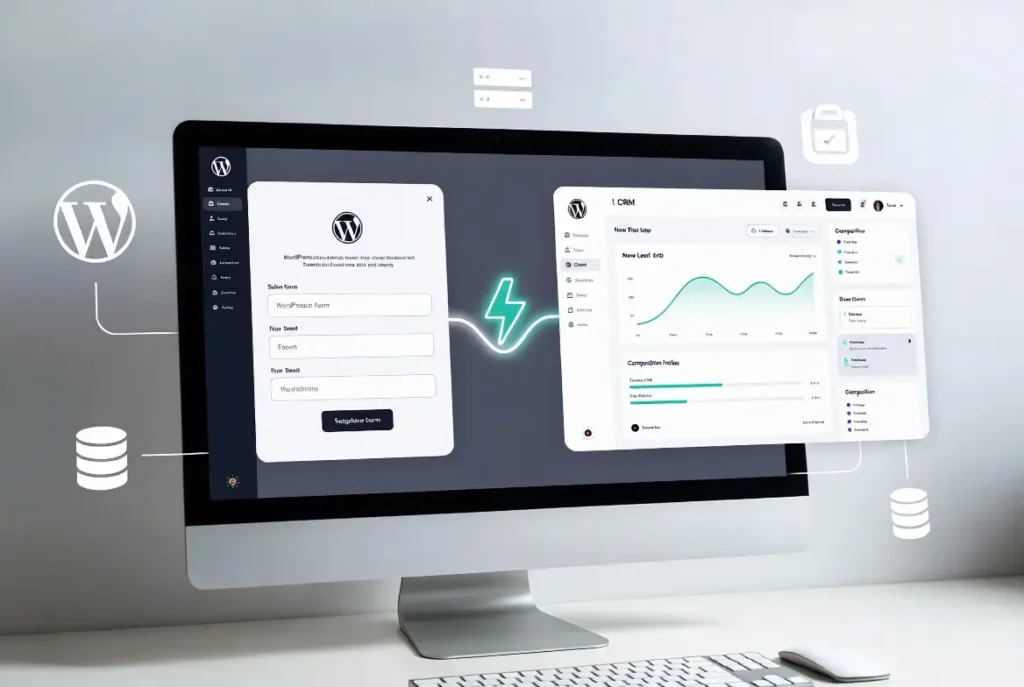
If your team isn’t notified within 5 minutes, your conversion rate drops. That’s the speed‑to‑lead problem. This guide shows you how to build a real‑time WordPress webhook to CRM sync using:
WordPress → Webhook → Make.com or Native CRM Bridge → Instant Notification
No per‑lead fees. No Zapier dependency. No fragile email‑based workflows.
Why Real-Time Lead Sync Matters in 2026
Modern buyers fill forms on mobile, expect instant follow‑up, compare vendors within minutes. If your leads go to spam, sit in inboxes, or require manual export, you’re leaking revenue.
- Direct WordPress lead push to CRM (no Zapier) — rising search trend
- No‑code lead routing WordPress to HubSpot
- Real‑time lead alerts for sales teams (WhatsApp/Slack)
The Lean Architecture: No‑Subscription Stack
Instead of paying per task inside Zapier, build a lean stack using:
- WordPress form plugin (Elementor, WPForms, Gravity Forms)
- Webhook trigger
- Make.com or native plugin like Bit Integrations
- Direct CRM connection (API)
This creates real‑time lead sync WordPress to CRM without per‑lead pricing.
Two Ways to Sync WordPress Leads Instantly
Option 1: Native CRM Bridge (Direct Plugin)
Best for simplicity. Examples: WP Fusion, Bit Integrations, HubSpot WordPress Plugin, FluentCRM. These bypass Zapier entirely — capture form submission, push via REST API, map fields natively, apply tags automatically.
Option 2: Automation Middleware (More Flexible)
For advanced routing, use Make.com, Pabbly Connect. Make.com WordPress lead scenario allows conditional logic, multi‑CRM routing, Slack/WhatsApp lead alerts.
{ "name": "{{full_name}}", "email": "{{email}}", "phone": "{{phone}}", "form_source": "Contact Page", "campaign_utm": "{{utm_campaign}}", "lead_type": "{{lead_type}}" } Step-by-Step: WordPress Webhook to CRM Real-Time Sync
Step 1: Choose Your Form Plugin
Common triggers: Elementor Forms, WPForms, Gravity Forms, Contact Form 7. All support webhook or API connections.
Step 2: Enable Webhook Trigger
Inside form settings: enable webhook, set method POST, copy webhook URL from Make.com or your CRM. When a lead submits, WordPress sends a JSON payload instantly — eliminating missed contact form emails.
Step 3: Create Make.com Lead Scenario (Optional Middleware)
Inside Make: new scenario → Webhook trigger → capture sample payload → add CRM module (HubSpot, Zoho, Pipedrive) → map custom fields. Supports automated lead tagging Make.com blueprint, CRM lead source tracking.
Step 4: Map Fields Properly
Critical step. Map: Name, Email, Phone, Form source, Campaign UTM, Lead type. Field mapping errors are #1 reason leads fail to sync.
Step 5: Add Instant Notification Layer
Speed‑to‑lead requires alerting. Add Slack, WhatsApp, SMS, or even automated call‑back. With webhook + Make.com, sync time is typically under 2 seconds.
CRM Options for WordPress Lead Management
- HubSpot · Zoho CRM · Pipedrive · Salesforce · FluentCRM
Trend insight: “FluentCRM vs HubSpot” rising due to self‑hosted vs cloud cost comparisons.
Make.com vs Zapier Pricing (2026 Trend)
Make.com
complex routing · visual mapping · lower per‑lead cost
Zapier
basic routing · higher per‑task fees
If avoiding per‑lead fees matters, Make.com is typically more cost‑efficient.
Lead Quality & Automated Tagging
Sync isn’t enough — score instantly. Inside Make or native plugin:
- If budget > $5,000 → Tag “High Intent”
- If service = Enterprise → Route to Senior Rep
- If free resource download → Tag as MQL
Supports automated lead scoring WordPress workflows.
Common Lead Sync Failures (And Fixes)
- Leads going to spam → stop relying on email, use webhook → CRM push
- Leads lost in database → enable REST API push, validate JSON payload
- Manual CSV export too slow → eliminate CSV, automate direct CRM insertion
FAQ (Rich Snippet Optimized)
How long does it take to sync a lead from WordPress to a CRM?
With a real‑time webhook or Make.com scenario, leads typically sync in under 2 seconds.
Do I need a paid Zapier account for lead syncing?
Not necessarily. You can use Make.com’s free operations or native plugins like Bit Integrations to avoid recurring fees.
Can I sync leads based on specific form selections?
Yes. Using conditional logic or routers inside Make.com, you can route leads based on dropdown selections or checkboxes.
What is the best free way to sync WordPress forms with a CRM?
Using WordPress webhooks combined with Make.com’s free tier or a native CRM bridge plugin offers the most cost‑effective solution.
How can I instantly notify my sales team when a WordPress lead arrives?
Add Slack, WhatsApp, or SMS notifications inside your automation workflow to ensure immediate response.
Operational Benefits of Real-Time Lead Sync
- Faster speed‑to‑lead — contacting leads within 5 minutes boosts conversion.
- Cleaner CRM data — automatic field mapping prevents missing info, duplicates.
- Lower software costs — avoid Zapier per‑task fees; align with “No‑Subscription Stack”.
- Improved sales efficiency — instant alerts + tagging = less sorting, more closing.
When Should You Upgrade?
If you miss leads weekly, reply after 30+ minutes, export CSV files manually, or pay high Zapier bills — it’s time to implement real‑time lead sync WordPress to CRM. ⏱️ under 2 seconds
⚡ no per‑lead fees · instant sync · sales‑ready leads